


Your profile & settings
Profile, branding, notifications, project types and where everything else lives in Settings.
Your profile & settings
Open Settings from your avatar at the bottom of the sidebar.
Account settings
- Profile: your photo, name, sign-in email, and your Co-worker sidekick
- Branding: your business name and logo, used on Client Portals, proposals and invoices
- Localisation and Team
- Notifications: which emails MonoDesk sends you (more below)
- Features: which areas show in your sidebar; see Choosing which features show
Notifications
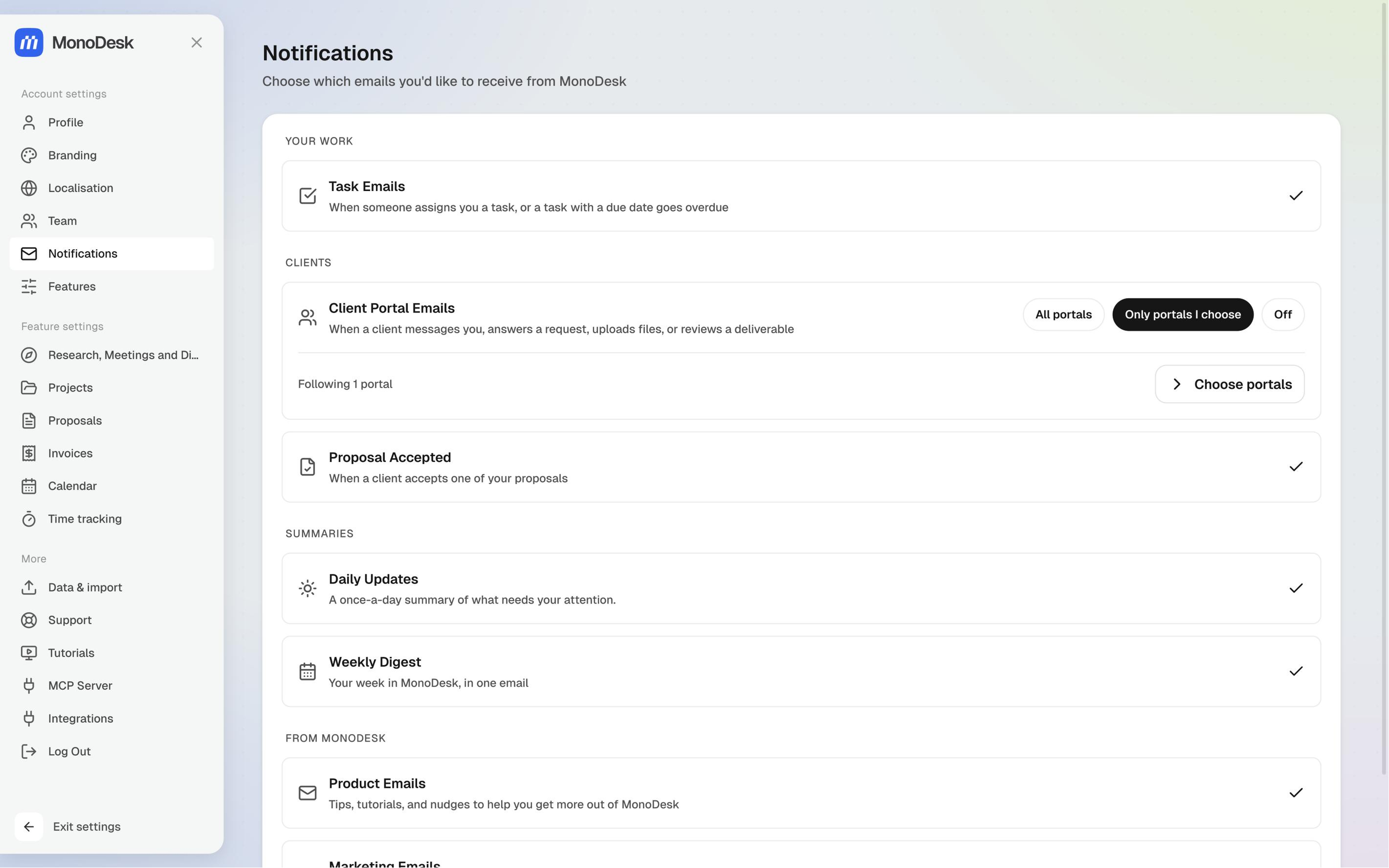
Settings → Notifications groups your emails, and each one has its own switch:
- Your work: Task Emails, for when someone assigns you a task or a task with a due date goes overdue
- Clients: Client Portal Emails (below) and Proposal Accepted
- Summaries: Daily Updates and Weekly Digest
- From MonoDesk: Product Emails and Marketing Emails
Client portal emails
Client Portal Emails tell you when a client messages you, answers a request, uploads files or reviews a deliverable. Pick one of three:
- All portals: every client portal in the workspace
- Only portals I choose: click Choose portals and tick the clients you want to hear about. Portals you set up yourself are ticked for you
- Off: no client portal emails
Everyone on your team chooses for themselves, so two people can follow the same client.
Feature settings
Research, Meetings and Discover, Projects, Proposals, Invoices, Calendar and Time tracking each have their own settings here. A section only shows when its area is turned on.
- Projects: your team’s list of project types. Admins can add, rename and remove them; see Project types
- Time tracking: Show the timer in the browser tab turns the running timer in your tab title on or off; see Track your time
More
Data & import, Support, Tutorials, an MCP Server for connecting MonoDesk to AI tools like Claude and ChatGPT, and Integrations, where you can connect Zapier.
For what this looks like across MonoDesk, see Teams.
Last updated October 23, 2026
