


Sound familiar?
Your tools don’t talk to each other. So you do it for them.

The best lead is in the wrong inbox.
Someone filled in your website form on Tuesday. You found it on Friday, under a newsletter.

Same details, typed three times.
Name, email, company. Into the pipeline, into the project, into the spreadsheet. Every time.

“Did anyone tell the team?”
A new client signed on Monday. Half the studio found out at Friday drinks.

You are the integration.
Every tool you use is great on its own. The bit in between them is you, copying and pasting.
New enquiry? It’s already a lead.
When someone fills in your website form or books a call, Zapier can create the lead in MonoDesk with their details attached. It’s waiting in your pipeline before you’ve even read the email.
From there it’s the usual: research them, run the call, send the proposal.
Explore Leads
Tell the team without telling the team.
When something happens in MonoDesk, like a new client, Zapier can pass it on. Post it to your team chat, add a row to a spreadsheet, or kick off whatever else your studio runs on.
Nobody finds out at Friday drinks anymore.
# new-work
Team chat


From a message to a task. No retyping.
Turn a message, a form request, or a new spreadsheet row into a task on the right project board. Asks that turn up anywhere end up where the work actually happens.
Need it in your week too? Zapier can block out the time in your Planner.
Explore ProjectsEveryday Coffee website
To Do · 4 tasks
Hero photo swap
Connect it in a couple of clicks.
Head to Settings, then Integrations, and choose Connect in Zapier. Sign in to Zapier, add MonoDesk to a Zap, and approve access. That’s it.
The MonoDesk Zapier app is in beta, so for now you join through the invite link in Settings.
Read the setup guide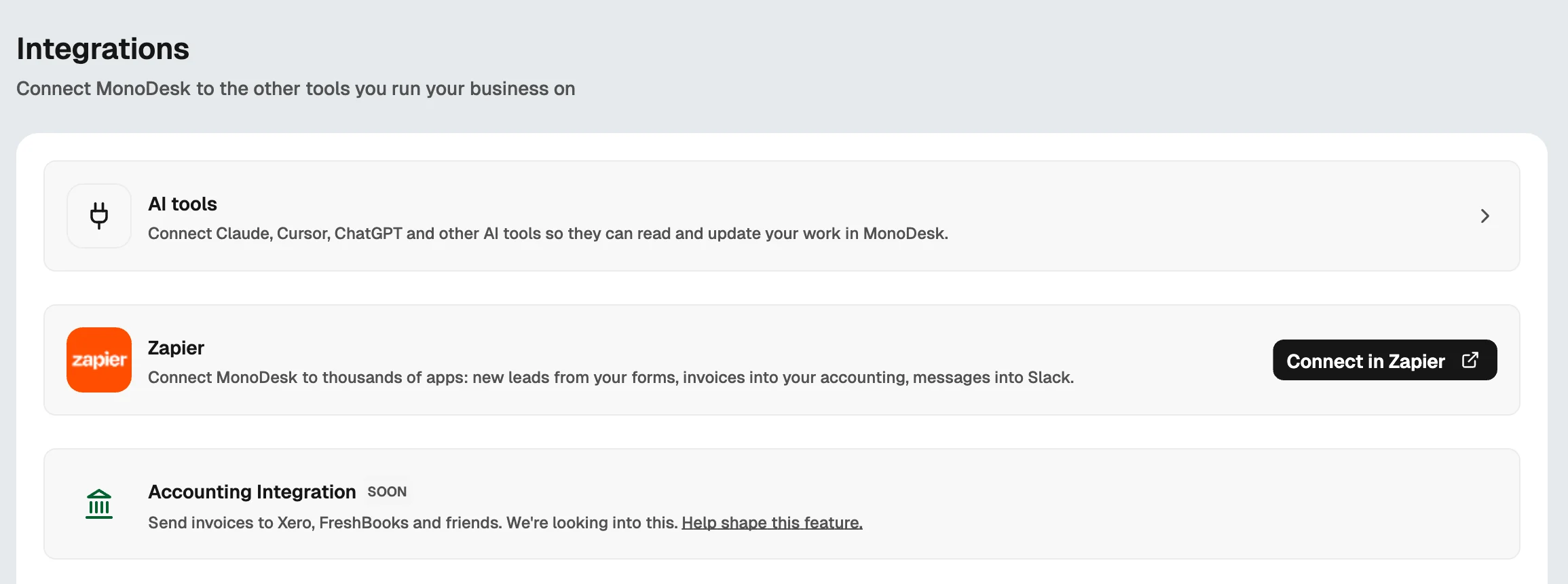
Built for creative professionals.

Solo Freelancers
No assistant? No problem. Let the enquiries, bookings, and follow-ups sort themselves while you’re busy doing the work.
Explore freelancer workspace Teams
Creative Teams
Keep MonoDesk and the rest of the studio’s tools in step, so new work reaches the right people without a single forwarded email.
Explore team workspaceRelated features
Help articles
How this works in MonoDesk, from the Integrations section of the help centre.