


Sound familiar?
Clients shouldn't be a communication problem.

Clients chasing you for updates
"How's it going?" emails when you're mid-flow. They're not impatient, they just can't see what's happening.

Writing status updates by hand
You already did the work. Now you're spending 20 minutes summarising it in an email nobody reads properly.
Files flying in from everywhere
Briefs in email, logos in Slack, feedback in Google doc. Nothing lives where the project does.

Approvals that stall the project
You sent the work. They haven't responded. You follow up. They missed it. The timeline slips.
One link per client,
not one per project
Every client gets a single branded link that holds all of their work: the project running now, the two that finished last spring, and the one starting next month. Send it once. It stays right for the life of the relationship.
Links you have already sent for a single project keep working, and open straight into that project inside the hub. Nothing you shared last month breaks today.


So you can stop
chasing them by email
The portal has a two-way message thread with file attachments, so the conversation lives next to the work it is about. Your client replies where they already are, and you get an unread badge instead of a buried inbox.
It is one thread per client, whether they arrived through the hub or through a link to a single project. No forked conversations, no "which email had the feedback in it".
Messages
Everyday Coffee

Invite them by name,
not by forwarded link
Send a personalised invitation by email and your client arrives somewhere that already has their name on it. When a colleague of theirs needs in, they can request access from the portal itself and you approve it, so the link stops getting forwarded around.
There are still no client accounts and no passwords to reset. The link is the way in.
Portal access
Everyday Coffee

A link you can
take back
No login is not the same as no control. Rotate the link and the old one dies instantly. Switch the portal off and it stops answering. Set an expiry date and it retires itself.
You can see how many times a portal has been opened and when it was last looked at, which is a quieter way of knowing whether your client has actually read the thing you sent.
Portal link
Everyday Coffee
Ask once,
in the right place
Request the brand assets, the copy, the logins, the brief, or a straight review, and the ask sits in the portal with everything else. Your client uploads files or pastes links directly into it, rather than replying to an email you then have to go digging through.
You get told when something lands. If it doesn't, a nudge is one tap, and it shows up in their portal rather than as another email they can ignore.
Brand assets
Requested 12 Aug
Approve, or ask
for another round
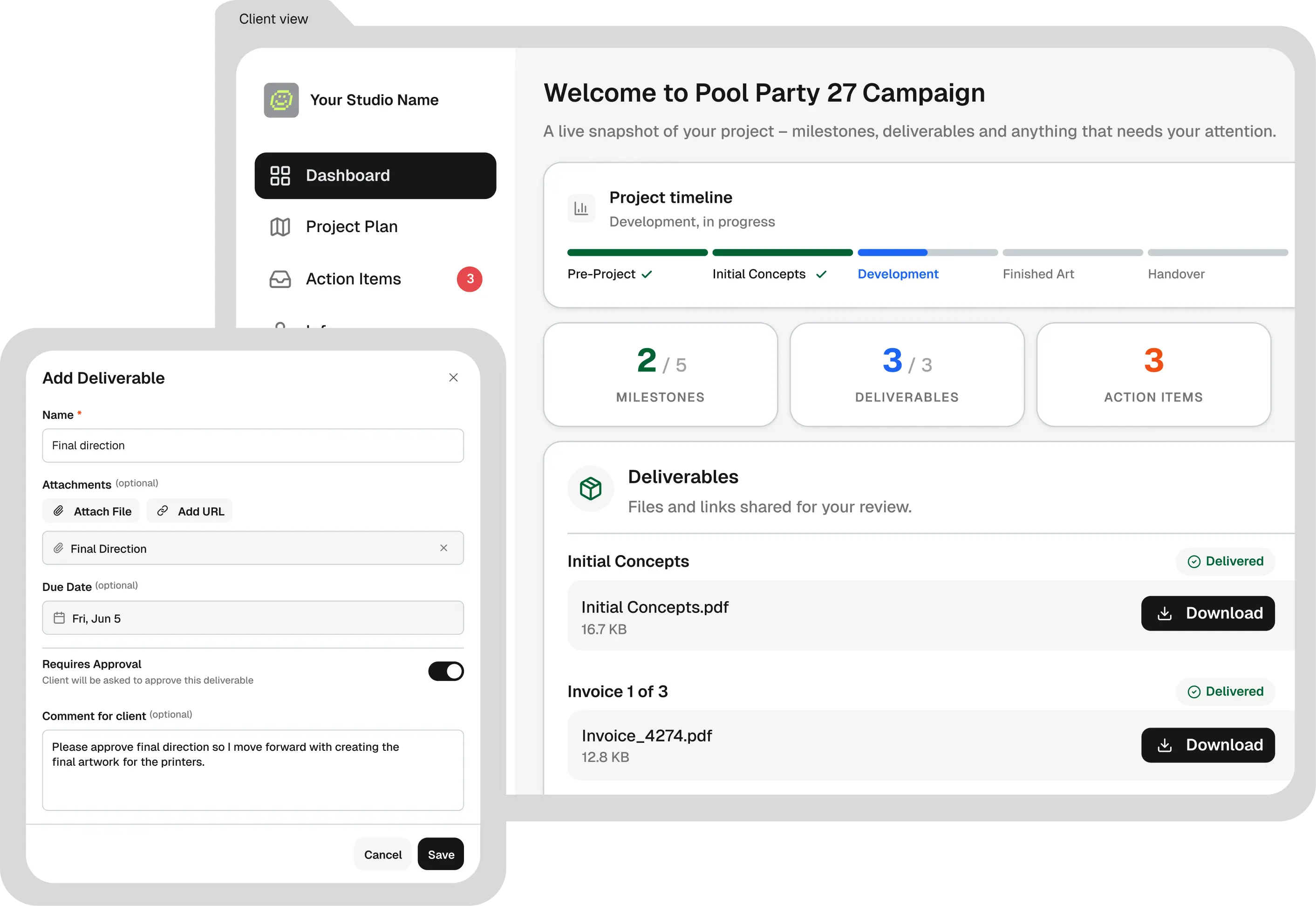
Clients preview a deliverable and either approve it or request changes with a comment explaining what they want different. Both answers come back to you attached to the deliverable, not floating in a thread three days later.
Most portals only model the happy path. The round of changes is the part that actually eats your week, so it gets a real state here instead of becoming another email.
Homepage v2
Awaiting your review
They can see what's
waiting on them
The portal opens on what needs your client, the next milestone, and how far through the work is. When there is nothing outstanding it says so plainly, which is the difference between a client who feels informed and one who emails to check.
You get the same view from your side, so you know what you are waiting on before the status call rather than during it.
Your brand,
and it works on a phone
The portal carries your name, logo and colours, so what lands in front of your client looks like you rather than like the tool you happen to use.
Clients open links on their phone between other things. The hub, the message thread and approving a deliverable all work properly there, which is where most of the "sorry, only just seen this" actually comes from.
Built for creative professionals.

Solo Freelancers
For the creative who runs the whole show, MonoDesk handles everything around the project you hate doing.
Explore freelancer workspace Teams
Creative Teams
For small agencies and studios, no more scattered context, MonoDesk keeps everyone across every project on the same page.
Explore team workspace