


Sound familiar?
Your AI is clever. It just doesn’t know your week.

Copy, paste, explain. Repeat.
Every new chat starts with you pasting in the brief, the client, and where things are at. Again.

Great answer. Wrong project.
Without your real tasks and deadlines, the advice is generic. Useful for someone, just not you.
Lovely plan. Now type it all in.
The AI drafted the plan in seconds. You spent the next half hour adding it to the board, card by card.

Tab, tab, tab.
Your chat in one window, your projects in another, and your timer somewhere in between.
Ask about your week. Get your actual week.
Your AI can look up your clients, projects, tasks, and schedule in MonoDesk, so the answers come from your real work, not a best guess.
What’s due Thursday? What did I finish last week? What did the client say on the logo review? Just ask.
What’s on my plate this week?
 MonoDesk · Looking up tasks read only
 Three things due. Thursday’s the busy one:
- Homepage copyEveryday CoffeeThu
- Logo lockupsLuneThu
- Menu boardsEveryday CoffeeFri
It doesn’t just chat. It does the admin.
Add a card to a project, break it into subtasks, assign it, comment on it, or log 45 minutes against it. Create clients and projects, update leads, and attach files, all from the conversation.
It all lands in MonoDesk straight away, so your board and timesheet are up to date before you’ve closed the chat.
Explore ProjectsDone in MonoDesk
From one chat, this morning
Set it up once. It takes about a minute.
Copy the server URL from Settings, pick your tool, and follow the steps. There are instructions for Claude, ChatGPT, Claude Code, Cursor, VS Code, Windsurf, and Codex, plus a config for anything else that speaks MCP.
Sign in to MonoDesk when your tool asks, approve it, and you’re connected.
Read the setup guide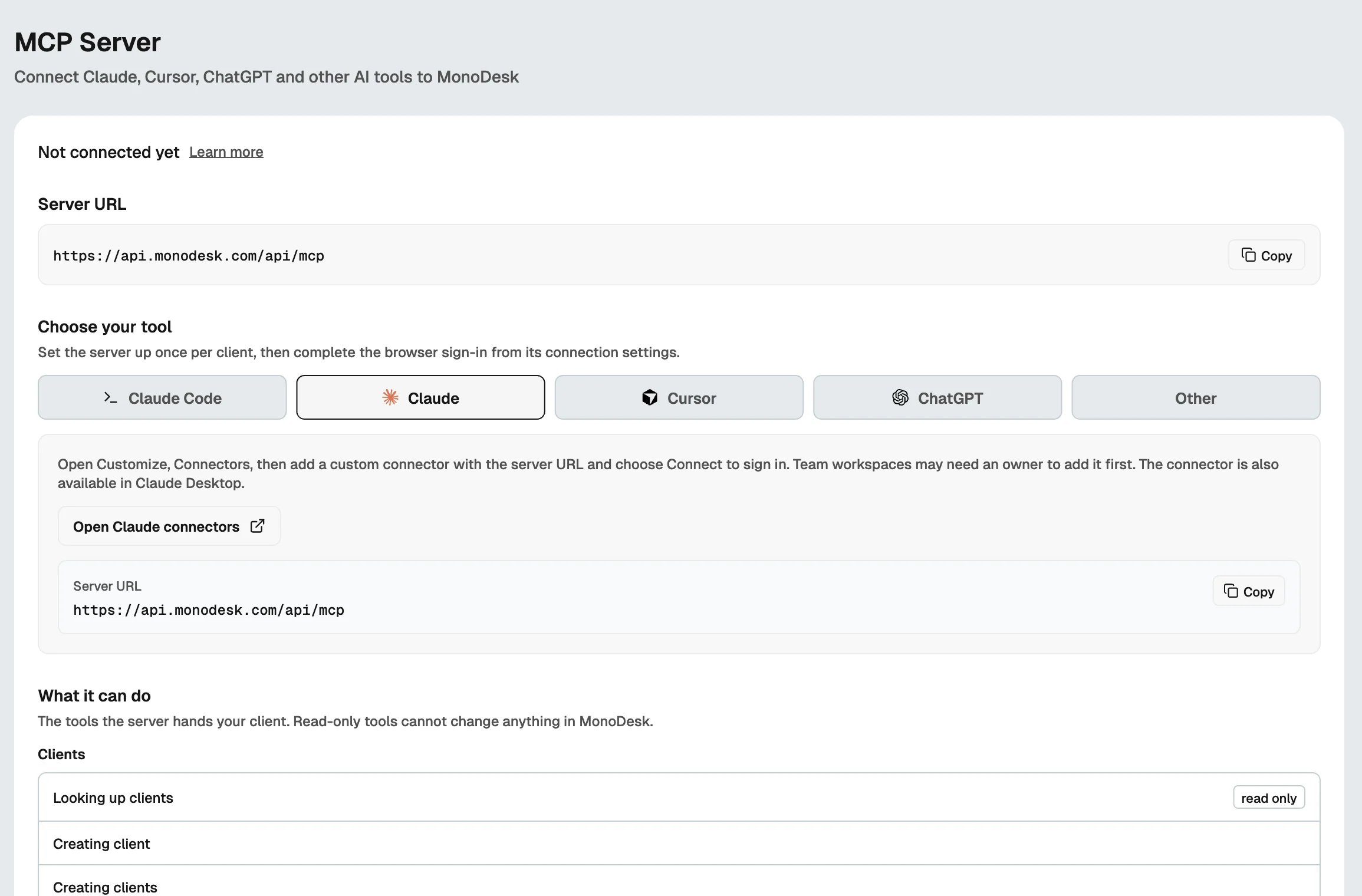
You decide what it can touch.
Every tool your AI gets is listed in Settings, and the read-only ones are labelled, so you know what can look and what can change things. It signs in through MonoDesk in your browser and works with the same access you have.
Nothing gets deleted, only archived, so it can all be restored. Done with it? Remove the connector in your AI tool and it’s gone.
What it can do
Read-only tools can’t change anything
Allow your AI tool to access MonoDesk?
ApproveBuilt for creative professionals.

Solo Freelancers
Plan the week, log your time, and prep for the client call from the chat you already have open.
Explore freelancer workspace Teams
Creative Teams
Everyone’s AI reads from the same clients, projects, and tasks, so the answers match across the studio.
Explore team workspaceRelated features
Help articles
How this works in MonoDesk, from the Integrations section of the help centre.