


The task board
To Do, Doing, Done: how work moves through a project.
The task board
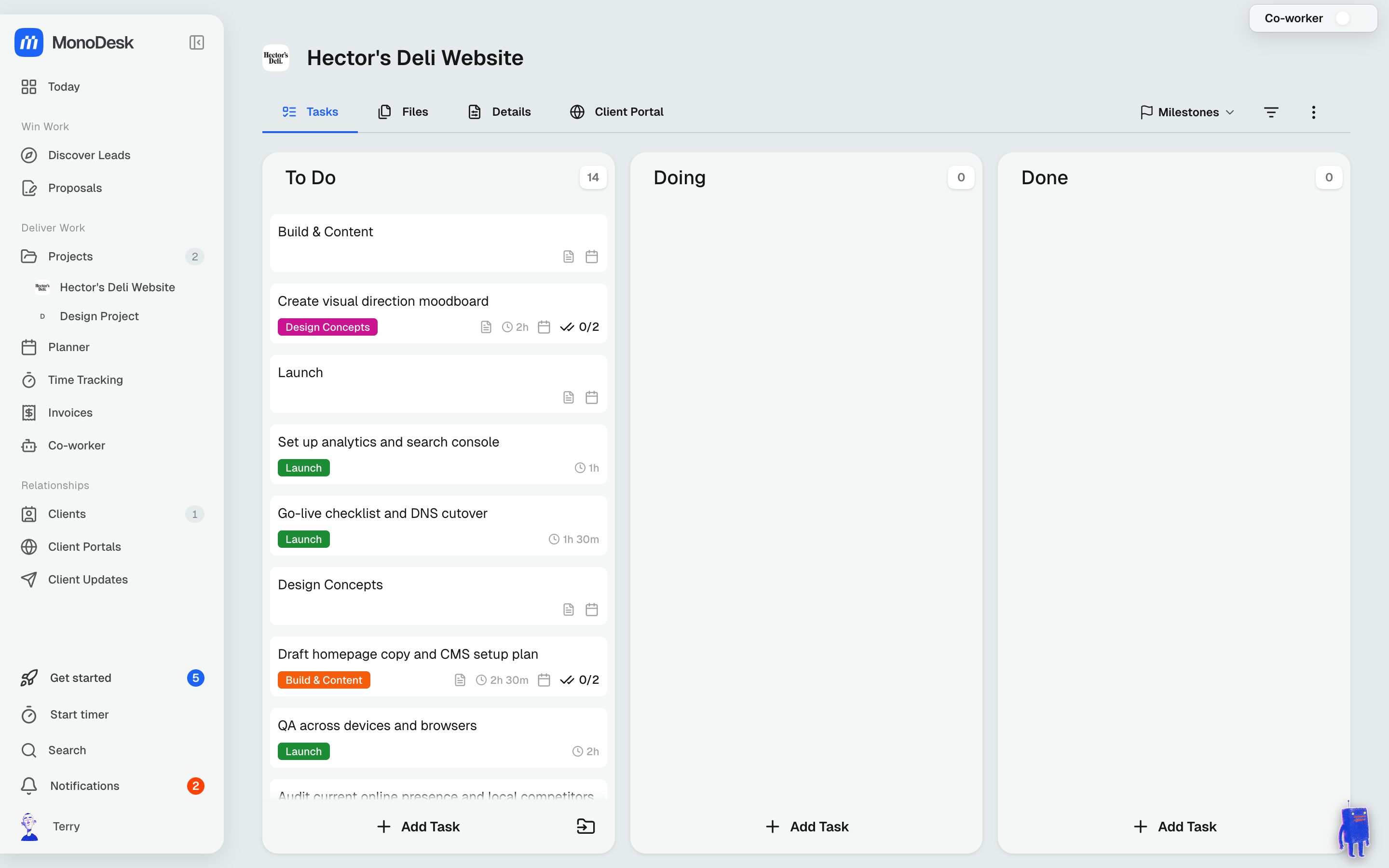
Open any project and you land on its Tasks board: three columns (To Do, Doing and Done), with a count on each.
Task cards
Each card shows the task name, a label chip (like Brief, Concept or Revisions) and its due date. When MonoDesk has drafted tasks for you, you’ll see suggested due dates. Keep them or set your own.
- Drag cards between columns as work progresses
- Click a card to open it: the description, subtasks, comments, files and dates all live inside the task
- Add Task at the bottom of any column captures new work in place
The other project tabs
- Files: everything shared on this project, drag-and-drop uploads
- Details: client link, status and project overview
- Client Portal: what this project shares to the client’s portal
- Milestones: the big beats of the project timeline
For what this looks like across MonoDesk, see Projects.
Last updated September 8, 2026
Was this article helpful?
