


What your client sees (and approves)
The portal from your client's side: dashboard, action items, approvals and messages.
What your client sees (and approves)
Your client opens their link, with no account and no password, and lands on a branded dashboard: “A live snapshot of your project and anything that needs your attention.”
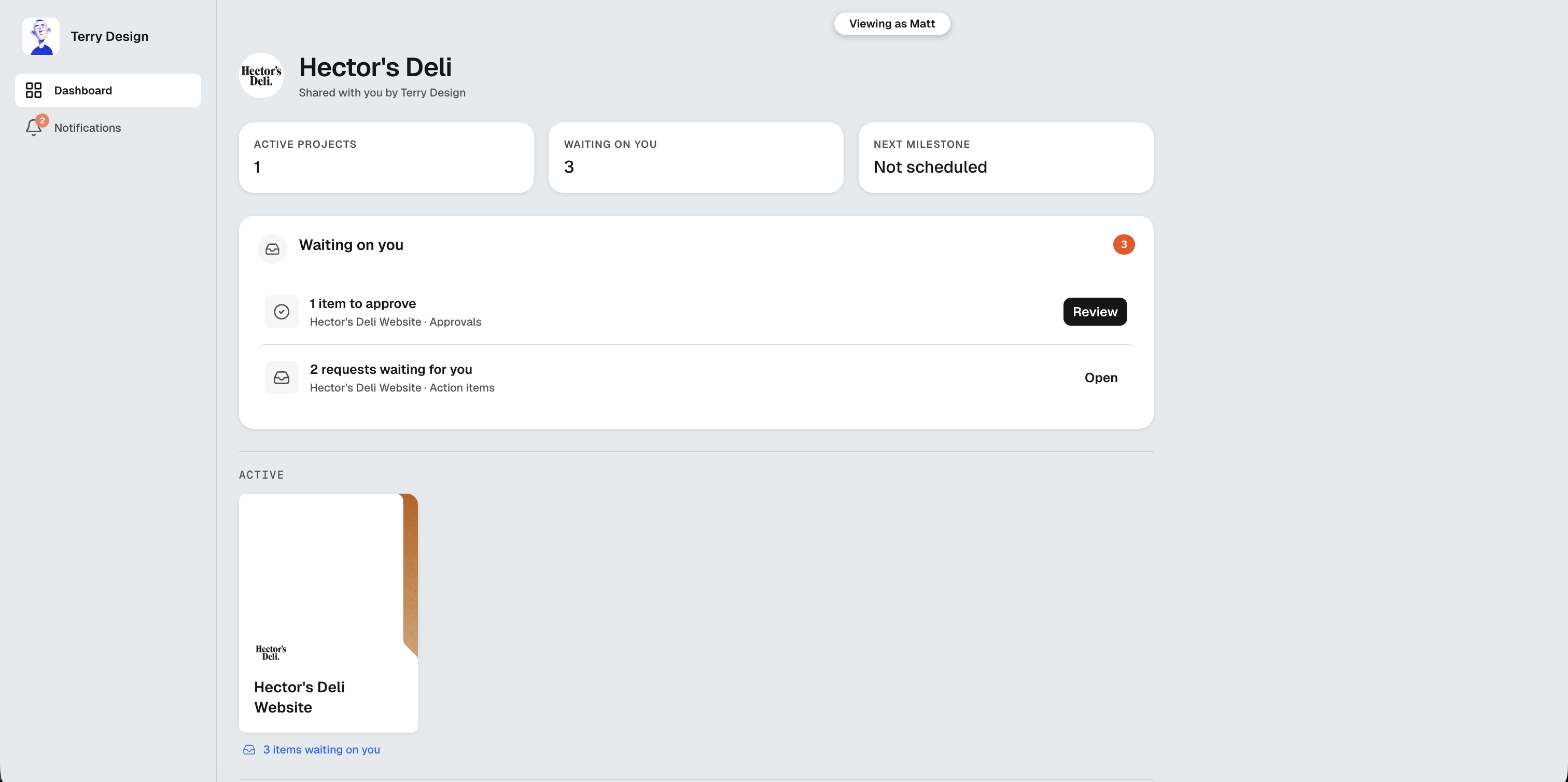
Their dashboard
- Current phase and next milestone (when the project uses milestones), so they see where the project is at a glance
- Waiting on you: the approvals and requests you’ve sent them, each with a one-click Review or Open
- The project timeline with your milestone phases, or a Project board card if you’ve chosen the board view
- Every shared project, with anything outstanding flagged on its card
Their navigation covers Dashboard, Project Plan, Action Items and Messages.
Project Plan
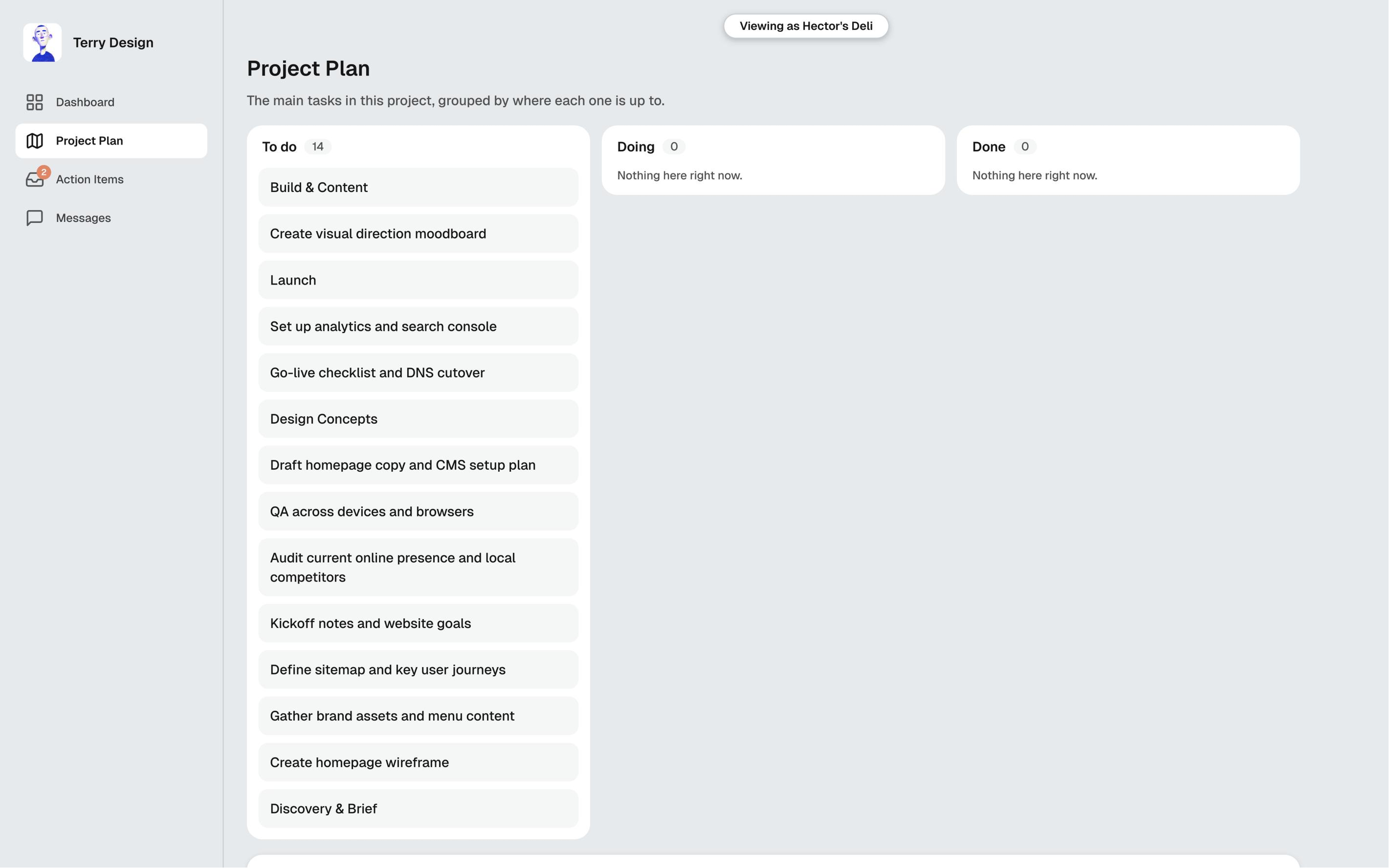
What your client sees here depends on the view you picked when you set up the project plan:
- Milestones: each phase with its dates, progress and status. A milestone shows In progress as soon as one of its tasks starts. Where you’ve turned it on, they also see the task names, with a To do, Doing or Done label on each
- Board: three columns, To do, Doing and Done, with the project’s main tasks by name
If the project came from a proposal, Your proposal appears under Project Documents, so they can look back at what they agreed. It only shows if your client has already opened that proposal in MonoDesk and its link is still on. MonoDesk never makes a new link for it.
Viewing vs participating
- Anyone with the link can view everything you’ve shared
- To participate (approve deliverables, answer requests, join message threads), a person needs to be invited by email from the client’s Client Portal tab
Approvals
When you mark a deliverable Requires Approval, it appears in their Waiting on you list. They review and approve right in the portal: no email chains, and you see the status change on your side the moment they do.
Answering your requests
Your client answers a request with a File, a Link or Text.
- They can attach several files in one reply, picking or dropping more as they go
- There’s an optional Comment box for files and links, so they can add a note to whatever they send
- After sending, they can see what they sent: the text, the link, their comment and the file names
You get an email when a client answers, whether they sent files, a link or text. Which clients email you is up to you, in Settings → Notifications.
Messages
If the page refreshes while your client is typing a message, their unsent text is still there when they come back. The same goes for your side of the conversation in the client’s Client Comms tab.
For what this looks like across MonoDesk, see Client Portal.
Last updated October 23, 2026
