


Create a project & let MonoDesk draft the tasks
Start from scratch or describe the work and get a first-draft task list.
Create a project & let MonoDesk draft the tasks
Projects live under Deliver Work in the sidebar. You can link a project to a client, or keep it standalone; internal work and side projects are projects too.
Create the project
- Go to Projects and click Add New Project (or use Add New Project from a client’s page; it arrives pre-linked to them)
- Name the project, pick a Project Type and, if you like, describe what you’re making
Project types
The Project Type list belongs to your team. It starts with Web & App, Video & Motion, Graphic Design, Marketing Campaign and Other. You can change a project’s type later on its Details tab.
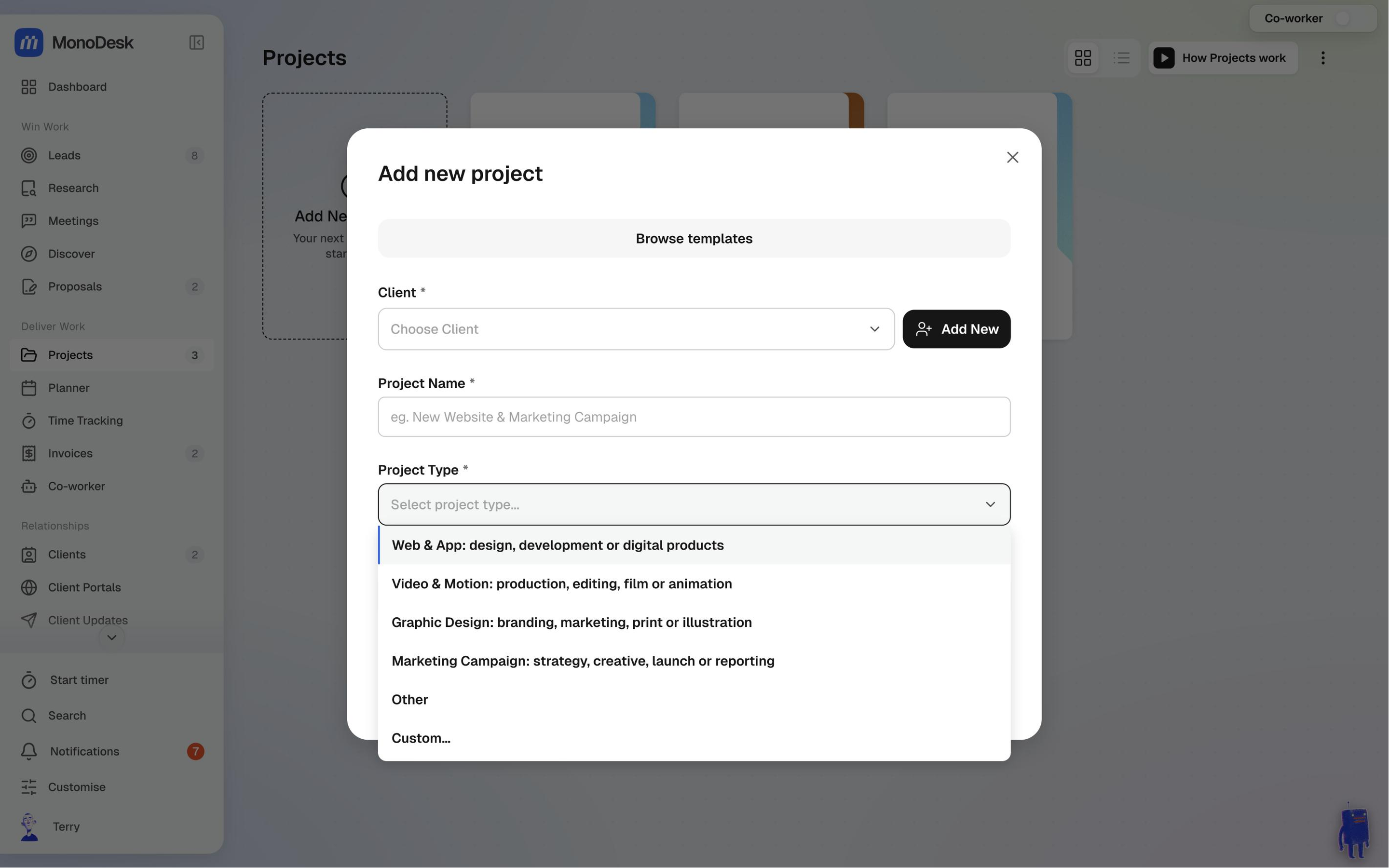
- Need another type? Choose Custom… at the bottom of the list, type your own (say, Podcast) and press Enter. It’s saved on the project and added to your team’s list, so it’s there for the next one. Click × to go back to the list without adding it.
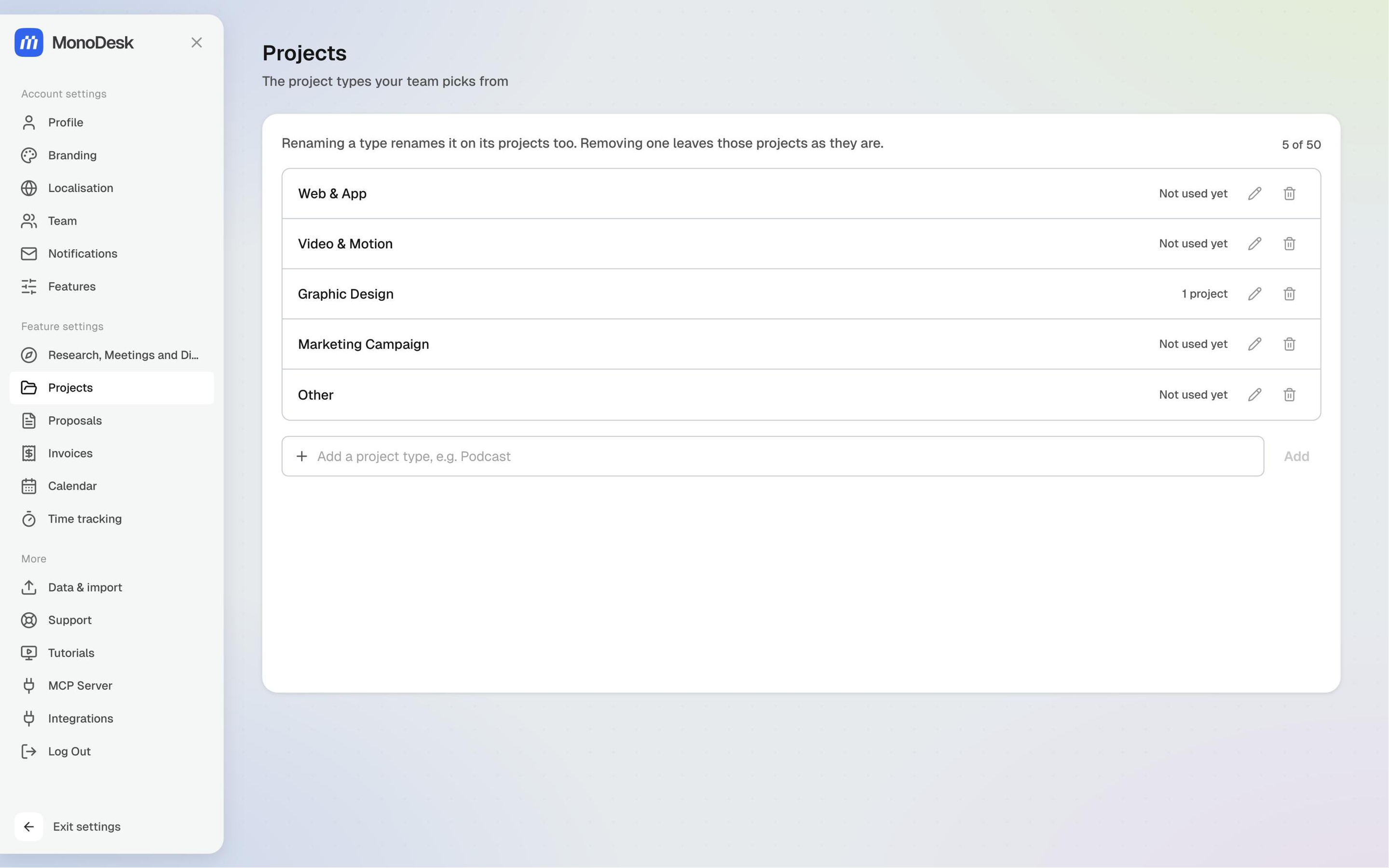
- Workspace admins manage the list in Settings → Projects. Add a type, rename one with the pencil, or remove one with the bin. Each type shows how many projects use it.
- Renaming a type renames it on every project that uses it too.
- Removing a type only takes it off the list. Projects that already use it keep it, and Undo puts it back.
Other teammates can see the list in Settings → Projects but can’t rename or remove anything. If they can edit projects, they can still add a type with Custom….
Two ways to fill the board
- Build it yourself. Add tasks straight onto the board and shape the columns to how you work.
- Let MonoDesk draft it. Describe the project and MonoDesk generates a working task list: tasks with subtasks breaking each one down, labels like Brief, Concept and Revisions, and suggested due dates, marked (suggested) until you confirm or change them.
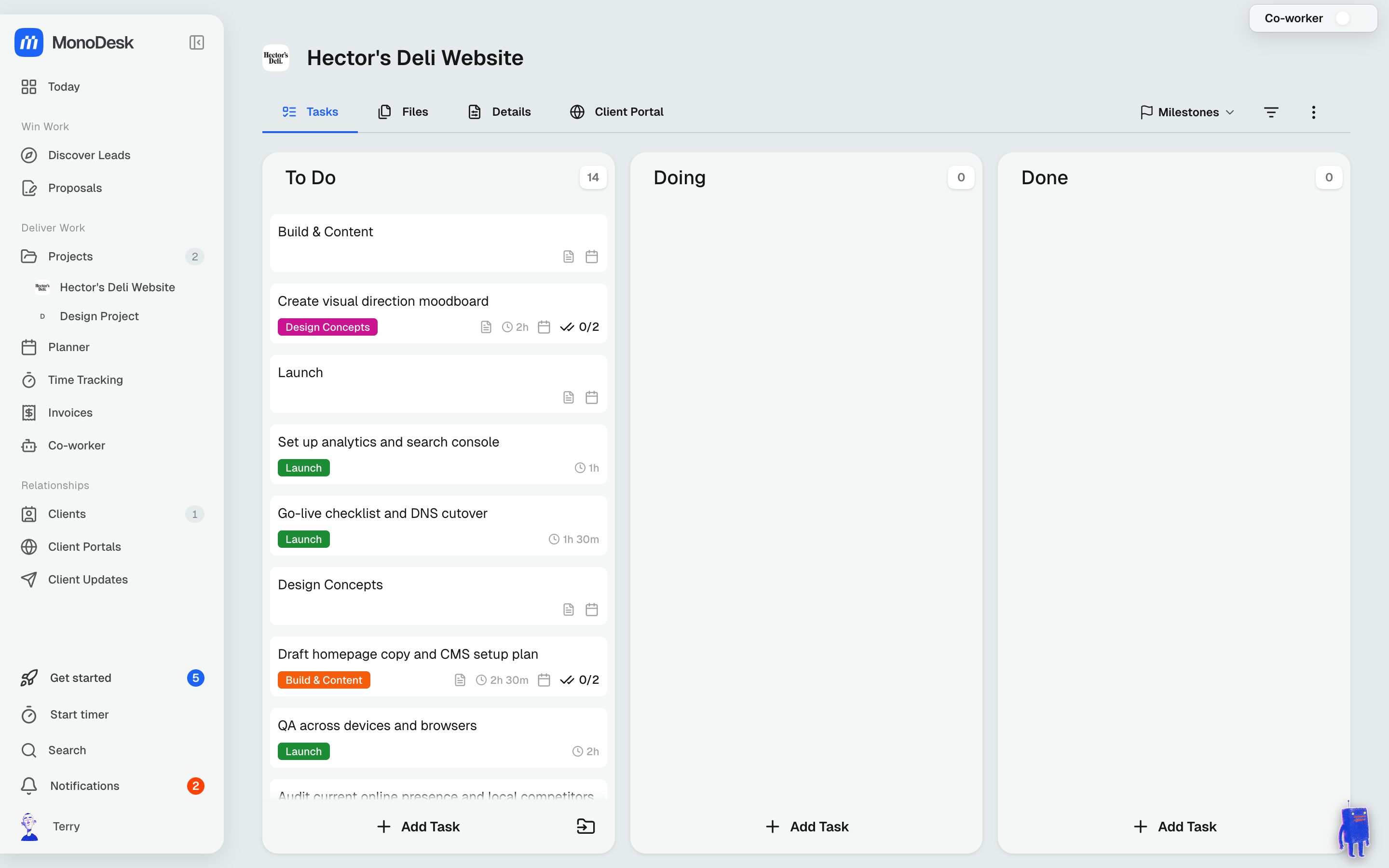
Either way, everything stays editable: rename, reorder, delete, or mix the two approaches. A generated list is a first draft from a colleague who knows the brief, not a plan you’re locked into.
Next steps
- Plan the week: schedule the tasks you’ll actually do
- Share the project through a client’s portal
Last updated October 23, 2026
