


Set up Discover (once)
Five quick questions about how you work, so every research pack and agenda fits you.
Set up Discover (once)
The first time you open Discover Leads (under Win Work) and click Get Started, it asks five questions about how you work. Everything Discover produces afterwards, from research angles to call questions, is tailored to these answers, so they’re worth a minute of honesty.
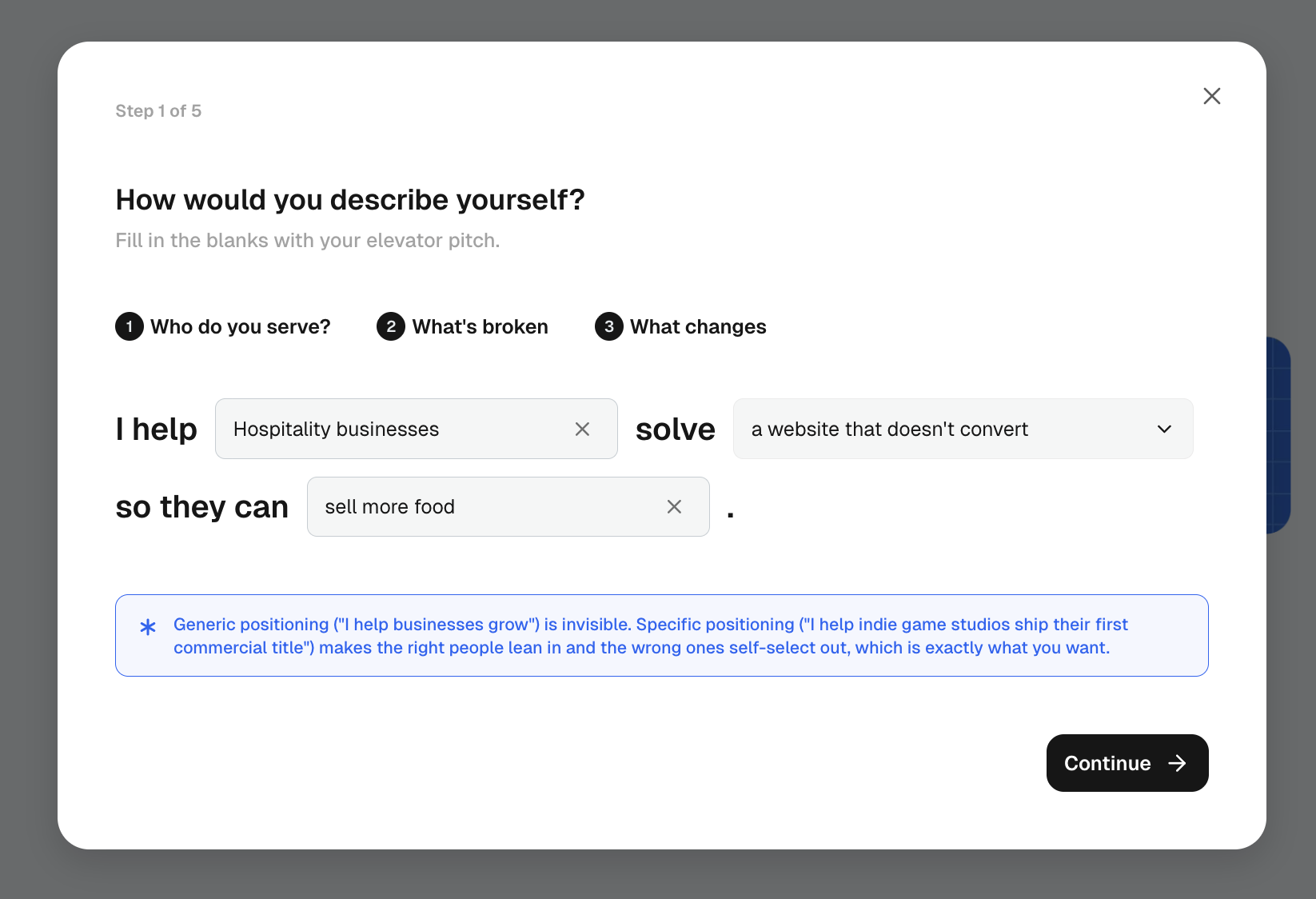
- Your positioning: a fill-in-the-blanks elevator pitch. I help [who you serve] solve [what’s getting in their way] so they can [what they walk away with]. Be specific: “I help indie game studios ship their first commercial title” makes the right people lean in; “I help businesses grow” is invisible.
- What you specialise in: your core offerings, from branding and UI/UX to motion and game design.
- Where you draw the line: work you’d never take on, no matter the budget (crypto, gambling, spec work, whatever your list is). Discover uses this to flag red-flag leads early.
- Your ideal clients: the types you love working with, plus preferred company size.
- Your experience level: be honest, there’s a right client for every stage.
Prefer video? Start with the Discover introduction.
You can revisit all of this later under Settings → Feature settings → Discovery.
For what this looks like across MonoDesk, see Discover.
Last updated September 8, 2026
Was this article helpful?
