


Plan your week in the Planner
One weekly calendar for every project. Drag tasks across days and plan around your real schedule.
Plan your week in the Planner
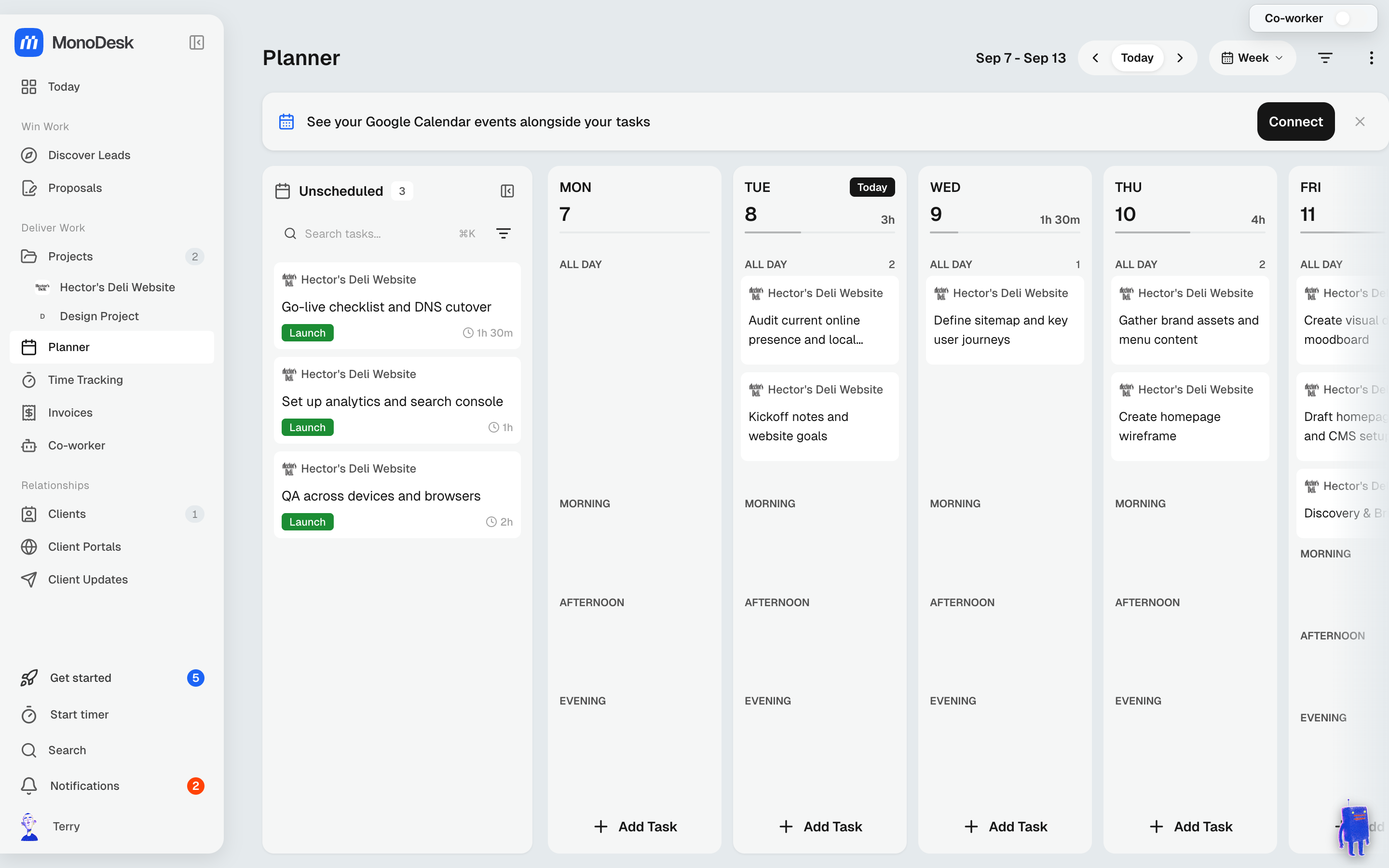
The Planner is a weekly view (Mon–Sun) of tasks across all your projects, and the one place to decide what happens when.
Getting around
- The header shows the current range (e.g. Sep 7 – Sep 13). Use the arrows to move between weeks, or Today to jump back
- Drag tasks between days to reschedule them
- Use the filter to narrow to a client, project or label
- Tasks without a date wait in the Unscheduled list, in the same order as each project’s own task list, so you can schedule a project top to bottom. Tasks from several projects are grouped by project
Connecting your calendar
Connect Google Calendar, Outlook / Microsoft 365, Apple iCloud Calendar or any .ics calendar link and your events appear right in the Planner, so you can plan work around the meetings you already have. Events stay read-only; nothing is written back to your calendar.
Want a clear view of just your tasks? Open the ⋮ menu at the top of the Planner and tick Hide calendar events. Your calendars stay connected, and unticking it brings the events straight back. The option shows once you’ve connected at least one calendar.
Let your Co-Worker do it
Ask your Co-Worker to “plan my week” and it will schedule your open tasks around your existing commitments. Then adjust by dragging.
For what this looks like across MonoDesk, see Planner.
Last updated October 23, 2026
