


Client profiles & brand colours
Everything about a client in one place: their details, their brand, and the work you do for them.
Client profiles & brand colours
Open any client from Clients in the sidebar. Each client page has tabs along the top: Overview, Brand, Research, Projects, Meetings, Comms, Portal and Activity. Research, Meetings and Portal only show when those areas are turned on.
Overview
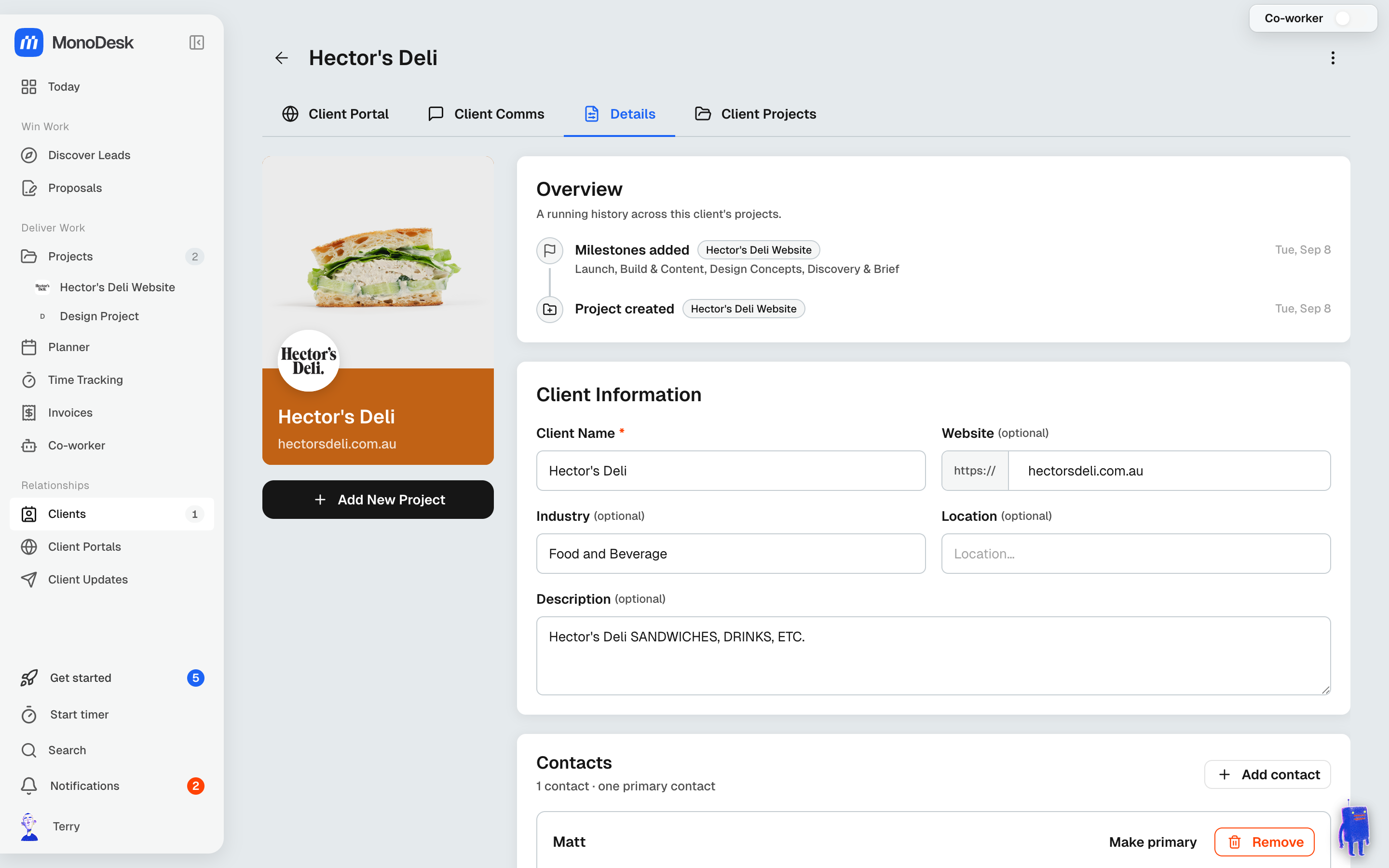
- The client card on the left shows their logo, cover and card colour. Click the pencil on the card to change them in Edit Client Card.
- Client Information: name, website, industry, location and a description
- Contacts: add the people you work with at this client (as many as you need), and Make primary for the main one
- Socials: a link for each profile, such as Instagram or LinkedIn. Import from website finds the ones on their site.
Most of this is pre-filled automatically when you add a client from their website URL.
Added the website later? Type it into Website and click away. MonoDesk fills the card’s empty logo, cover and details from the site, and never changes the client’s name. If it can’t find anything, the card says so, with a Retry.
Brand
The Brand tab is laid out like a brand guidelines document: logos, assets, colours, typography, personality, tone of voice, and do and don’t.
- Import from Brand Guidelines (PDF) reads the client’s guidelines and suggests logos, colours, fonts and tone. You tick what to keep, then Apply. The PDF is saved on the tab so you can Download PDF later, or Update it when a new version arrives.
- Import from web fills the empty parts of the brand from the client’s website. MonoDesk does this on its own the first time you open the tab.
- Add or edit colours under Colours, with a name and a role for each.
The card’s colour is set separately, in Edit Client Card.
The other tabs
- Projects: all this client’s projects, plus New project to start the next one already linked to them
- Comms: one conversation per project with this client, including Client Updates and portal replies
- Portal: the client’s portal
- Activity: a running history across this client’s projects
Archiving a client
Choose Archive Client from the ⋮ menu at the top of the client page, or from the client’s menu on the Clients list. Their projects are archived with them.
The dialog closes straight away and a message offers Undo, which brings back the client and those projects. It also links to Archived clients.
An archived client’s page says so at the top, with an Unarchive button.
For what this looks like across MonoDesk, see Clients.
Last updated October 23, 2026
