


What is MonoDesk?
A quick tour of the workspace: what each part does and where to find it.
What is MonoDesk?
MonoDesk is one workspace for creative professionals who run the whole project: winning the work, doing the work, and keeping clients in the loop, all in one place.
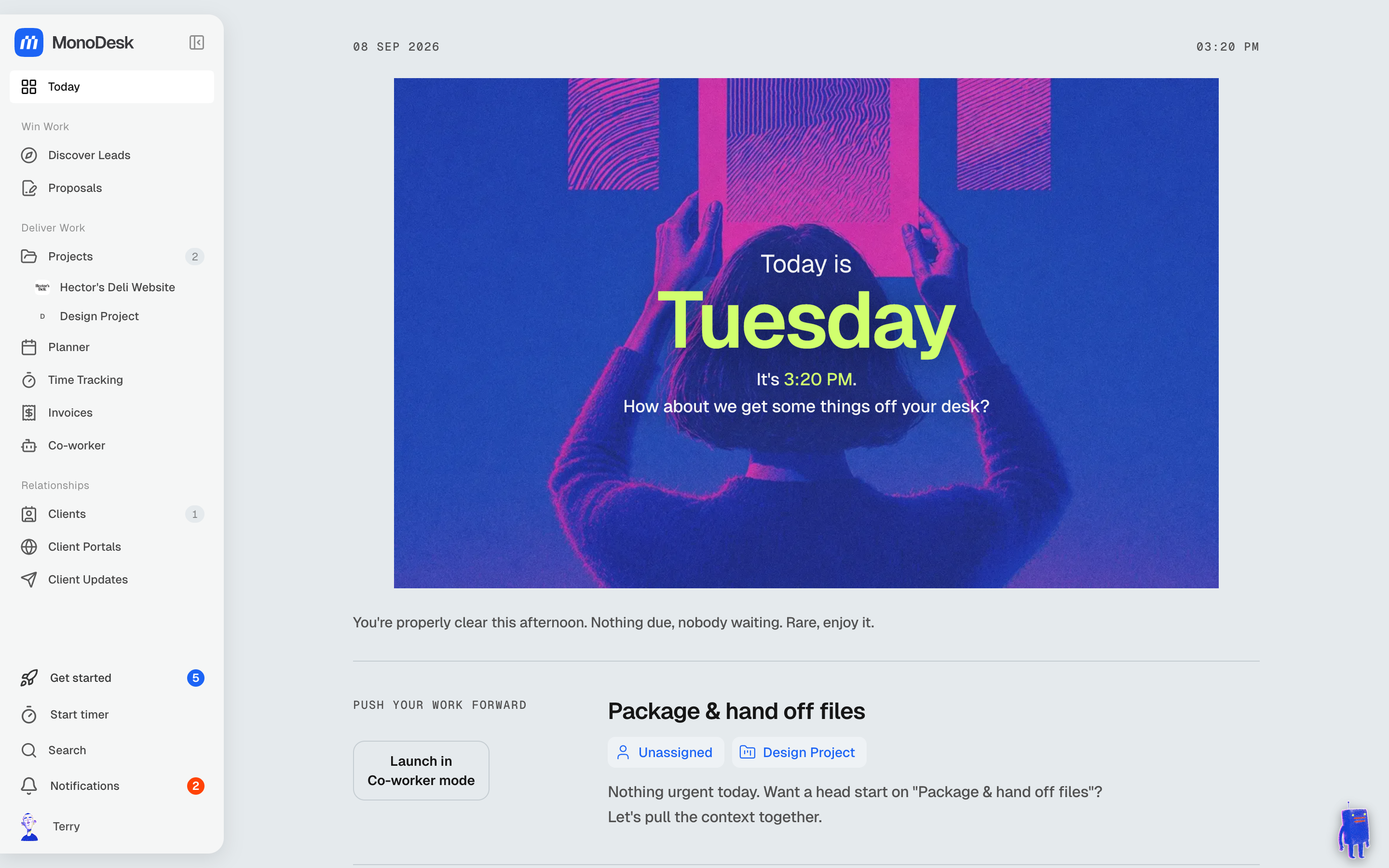
Prefer a tour on video? Watch Take a look around MonoDesk.
The sidebar
Everything lives in the left sidebar, grouped by how you actually work:
- Today: a daily brief assembled from your projects, clients and planner, refreshed each morning
- Win Work: Discover Leads for live discovery calls, and Proposals to win the job
- Deliver Work: your Projects, the weekly Planner, Time Tracking and Invoices
- Relationships: Clients, their Client Portals, and Client Updates
Your Co-Worker
The Co-Worker Mode toggle in the top-right turns MonoDesk into a focused workspace where your AI Co-Worker can plan your day, draft invoices and proposals, and pull project context together. See What your Co-Worker can do.
Finding things fast
- Search (
⌘K) finds anything across clients, projects and tasks - Start timer in the sidebar begins tracking time from anywhere
- Each section has a short “How it works” video. Look for the play button at the top of the page
The Get Started checklist
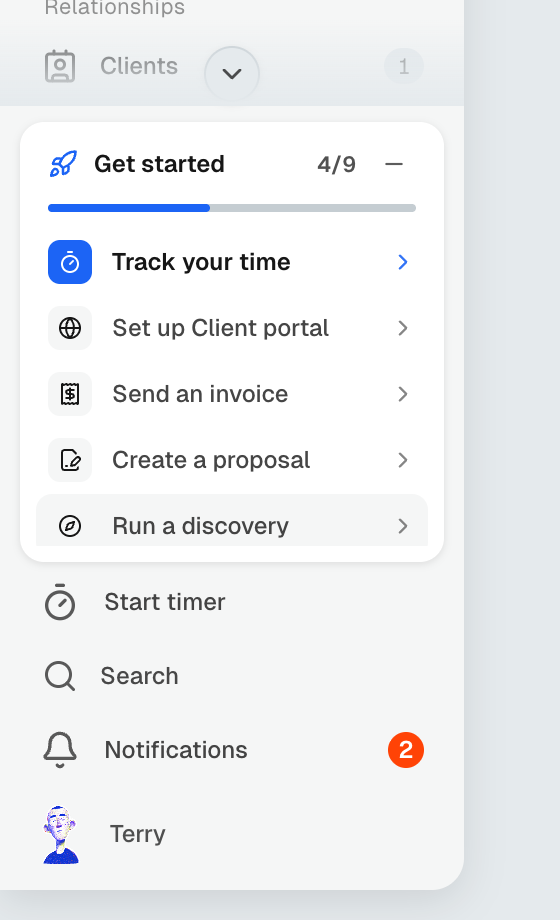
The Get started checklist in the bottom-left walks you through the nine essentials, from adding your first client to sending your first invoice. Start with adding your first client: MonoDesk sets most of it up for you from a website URL.
Last updated September 8, 2026
