


Send a Client Update
MonoDesk drafts the update from your project's real state. You review, refine and send.
Send a Client Update
Client updates in MonoDesk aren’t written from scratch. They’re generated from the actual state of the project: what’s moved on the board, what’s coming next, and what you’re still waiting on from the client. Keep the project up to date and the draft is already right.
Generate one
Open Client Updates in the sidebar and pick the client, or click Draft a client update straight from the message composer in a client’s Client Comms tab.
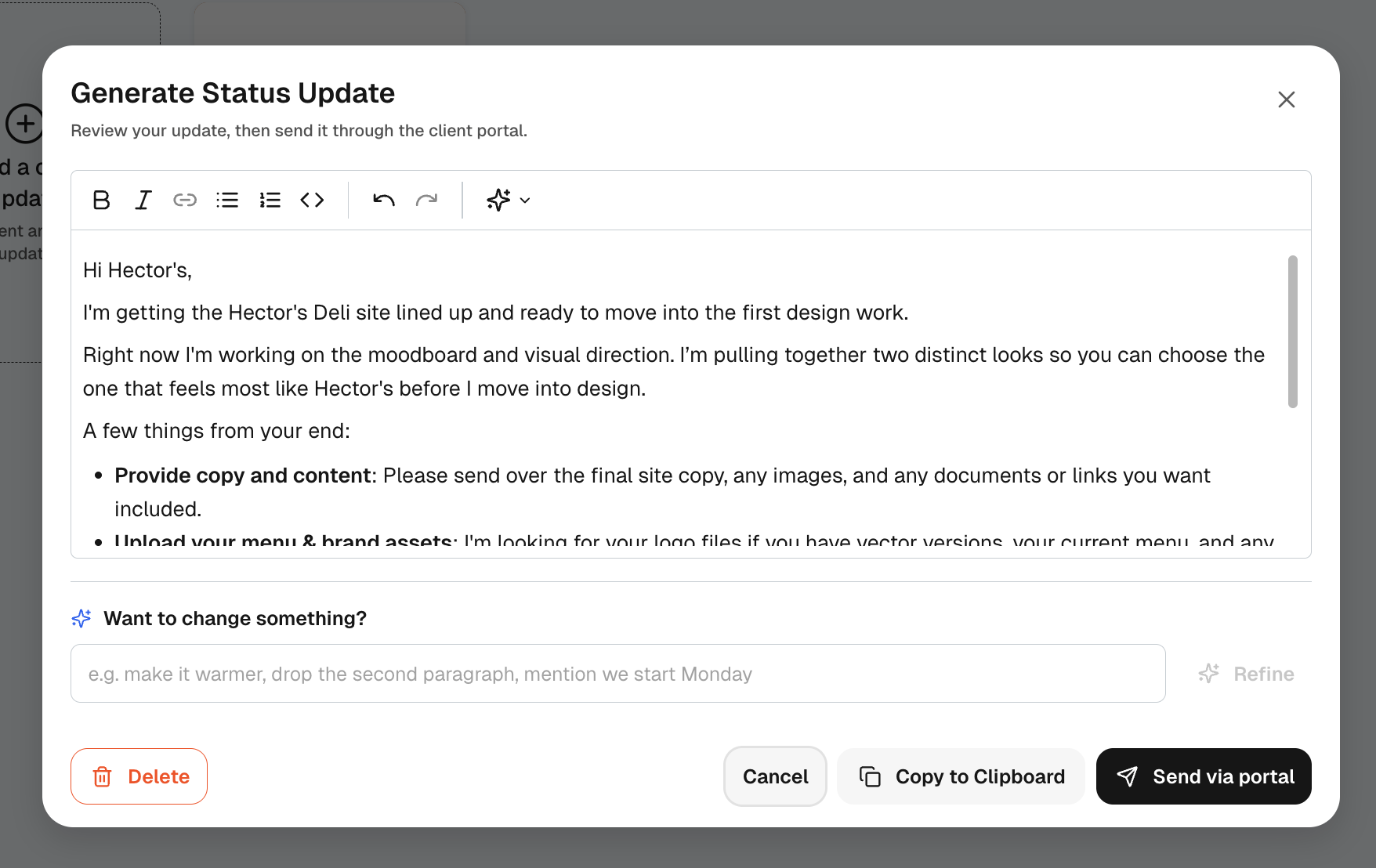
The draft covers where things are, what’s happening now, and pulls in any open requests as a “from your end” list. It’s a normal editor, so change anything, or use the refine field and just say what you want: make it warmer, drop the second paragraph, mention we start Monday.
Send it
- Send via portal posts it to the project’s message thread, where invited clients can reply
- Copy to Clipboard if you’d rather send it by email or anywhere else
What your client sees
The update lands in their portal’s Messages tab, and the whole exchange stays on the project:
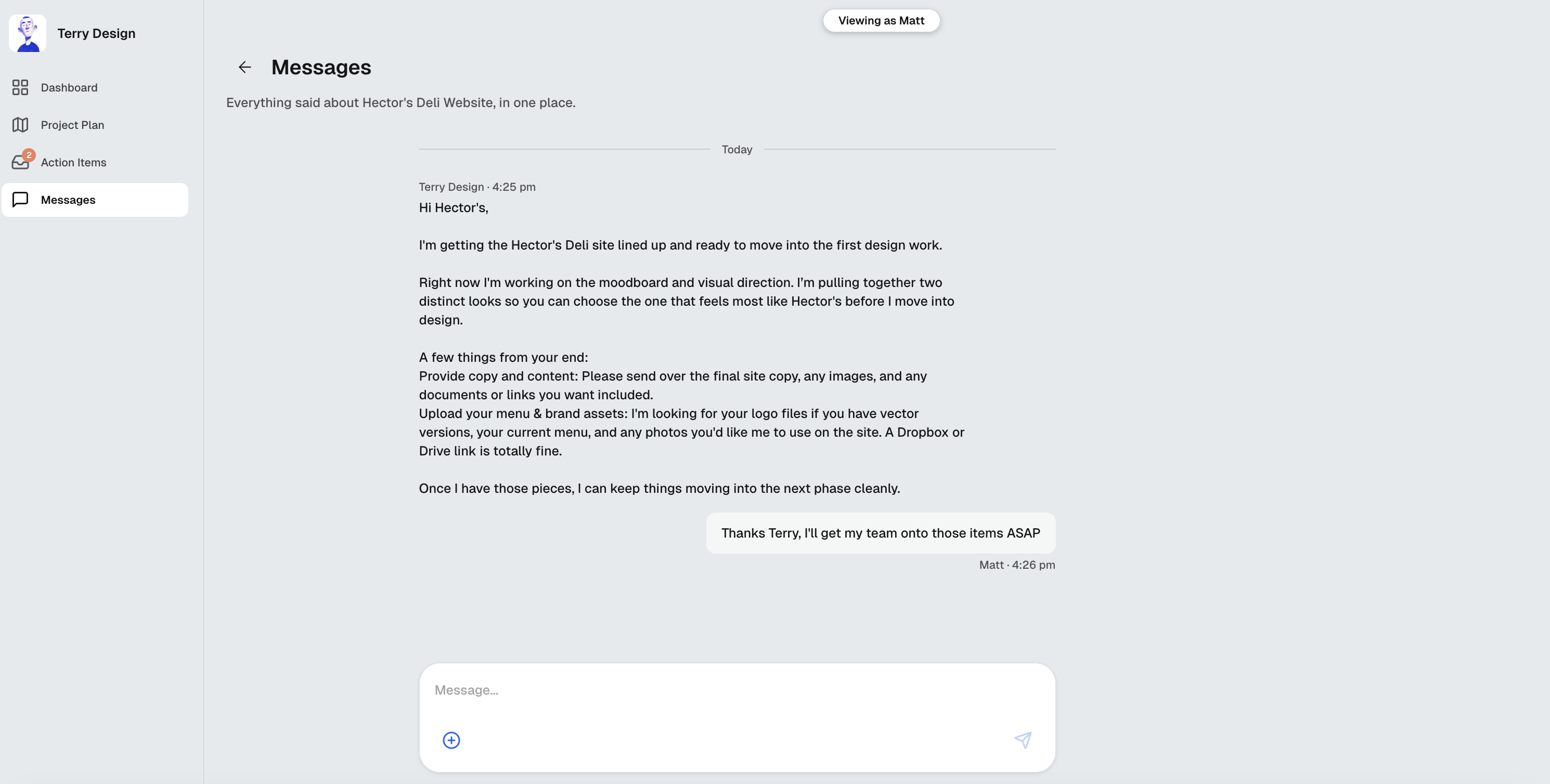
Replies come back to you in the client’s Client Comms tab, one conversation per project, so nothing lives in a lost email thread.
For what this looks like across MonoDesk, see Client updates.
Last updated September 8, 2026
