


What your Co-worker can do
Meet Bit (or Fern), the AI sidekick that knows your clients, projects and work.
What your Co-worker can do
Your Co-worker is the AI sidekick that lives in the corner of your workspace. It knows your clients, projects, planner and time logs, so you can hand it real work, not just questions.
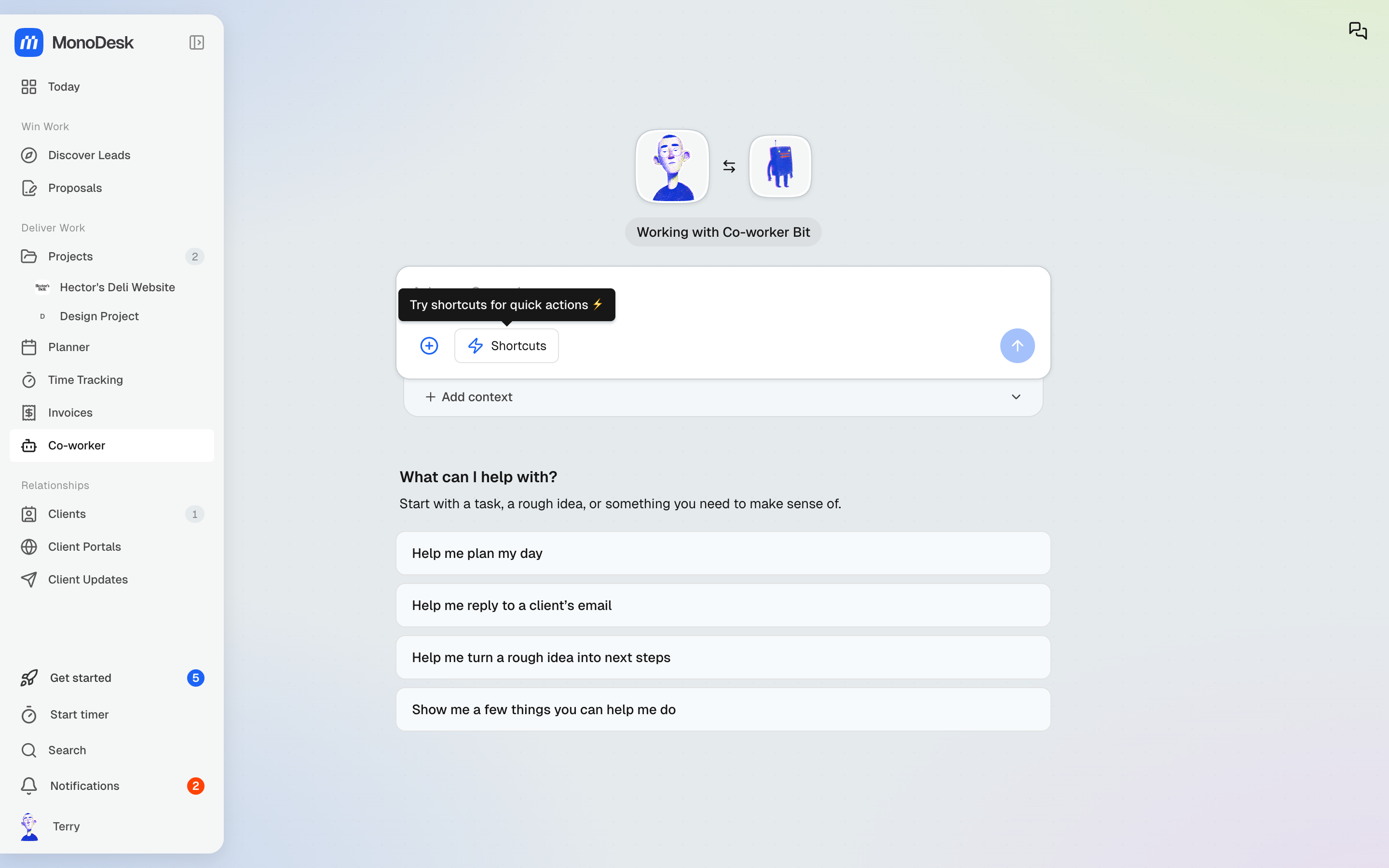
Where to find it
- Co-worker in the sidebar opens a full chat: “What can I help with? Start with a task, a rough idea, or something you need to make sense of.”
- On a computer, the Co-worker switch at the top right opens the chat beside the page you’re on, already knowing what you’re looking at. It’s hidden in Settings, on Today and while a task is open.
- The Today page offers Launch in Co-worker mode with your day’s context already loaded
Things to try
- “Help me plan my day”
- “Help me reply to a client’s email”
- “Help me turn a rough idea into next steps”
- “Show me a few things you can help me do”
Use Add context to point it at specific projects or files, and Shortcuts for the moves you make often.
Prefer video? Watch how to use the Co-worker.
It knows where you opened it
Your Co-worker picks up on the page you’re on, so you don’t have to explain it.
- On a list page like Clients, Projects, Tasks, Time, Proposals, Invoices or Leads, the suggestions fit that page. Where it can create something, that comes first, like “Add a new client”
- On a record (a lead, a task, a proposal, an invoice, a research report or a meeting) it works on that record. “Add contact details” on a lead means that lead
- On a client’s or project’s tab, such as a project’s Files or Details, its suggestions name the client or project and it knows which tab is open. On a Files tab it can read your files and notes
- A new, empty chat follows you as you move around, until you send the first message
Buttons for answers and next steps
When your Co-worker asks a question with a few clear answers, like whether to create a new client or use an existing one, the answers show as buttons. Click one, or type something else.
When it’s finished a piece of work, it offers Suggested next steps as buttons too, so the next move is one click away.
Copy, save, edit and email
Small grey icons sit under each reply. On a computer, they show when you hover over the reply.
- Copy copies the reply
- Save as note saves it to a project as a note. Once it’s saved, the icon becomes Open saved note
Email and document drafts show their row all the time, with two more icons:
- Edit to change the draft in place before you use it
- Email to open the draft in your Email app or in Gmail, with the subject filled in
When you save as a note, the Save to project box asks for a Project. Pick one, or choose New project to name a new one and pick its client. Then save as a New note or add the text to an existing note.
Milestones
Your Co-worker can set up a project’s milestones: add them, rename them, change their order, and show or hide each one on the client portal’s plan. It asks before deleting one. A deleted milestone’s tasks stay on the board, just without a milestone.
Showing a milestone’s tasks to clients stays with you. Turn on Show these tasks to clients on the milestone yourself.
Pick your sidekick
Head to Settings → Profile → Your Co-worker to choose who lives in your corner: Bit (“I handle the boring bits so you never have to”), Fern, or one of a dozen other characters. Same brains, different vibe.
For what this looks like across MonoDesk, see Co-Worker.
Last updated October 23, 2026
