


Inside a task
Open any card and everything about that piece of work is in one place.
Inside a task
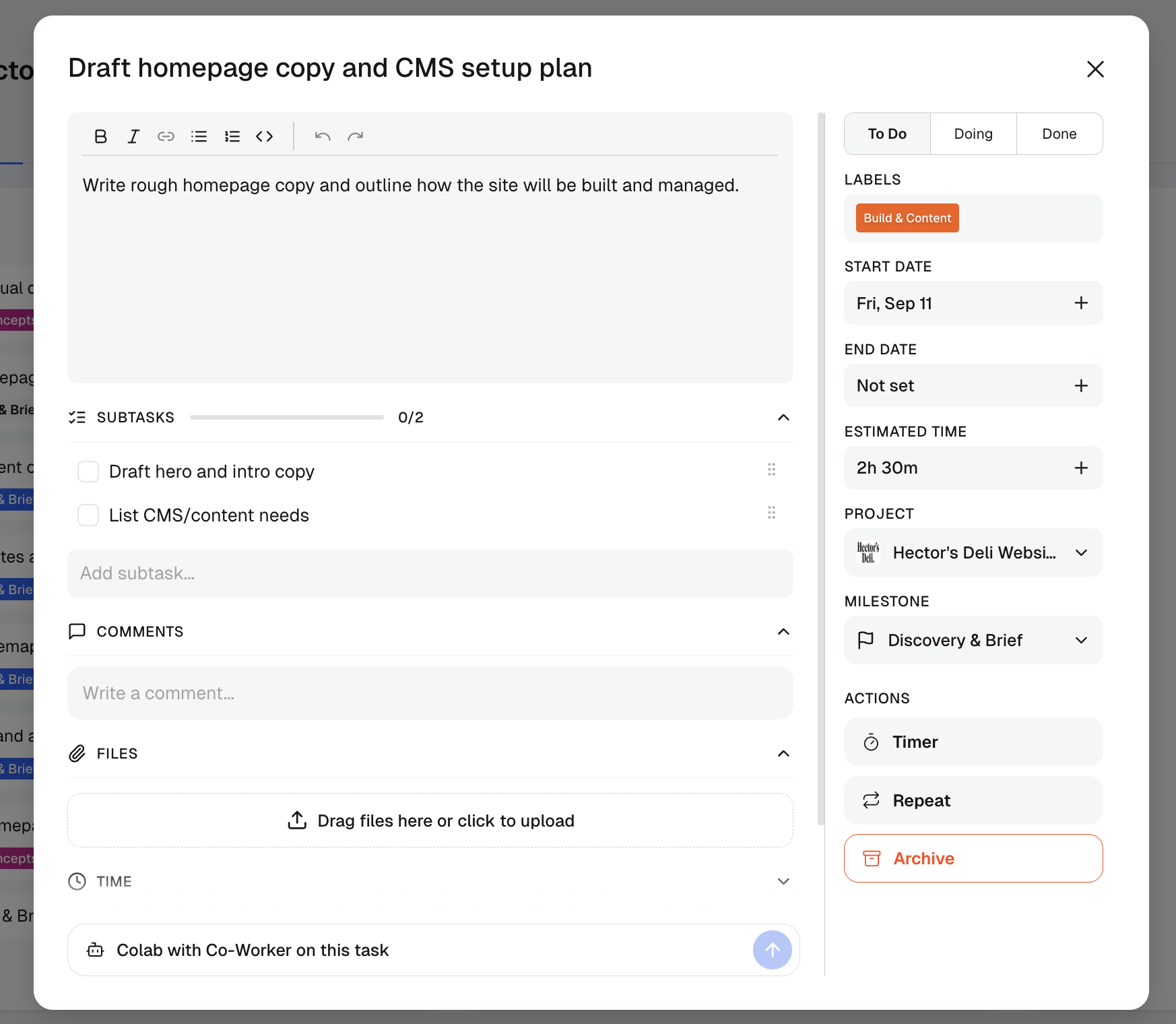
Click any card on the board to open it in full. The layout speaks for itself; here’s what’s worth knowing.
The parts that earn their keep
- Description is rich text, so a task can hold a proper brief rather than a one-liner
- Links keeps the task’s Figma files, docs and references in one list, so they don’t get lost in the description (more below)
- Subtasks tick off against a progress bar, and the count carries through to the card on the board
- Comments and files live on the task itself, which means the conversation and the assets stay next to the work instead of in your inbox
- Status, labels and dates sit in the right-hand rail, along with project and milestone, so a task can be moved or re-homed without leaving it
Links
The Links section sits between the description and Subtasks.
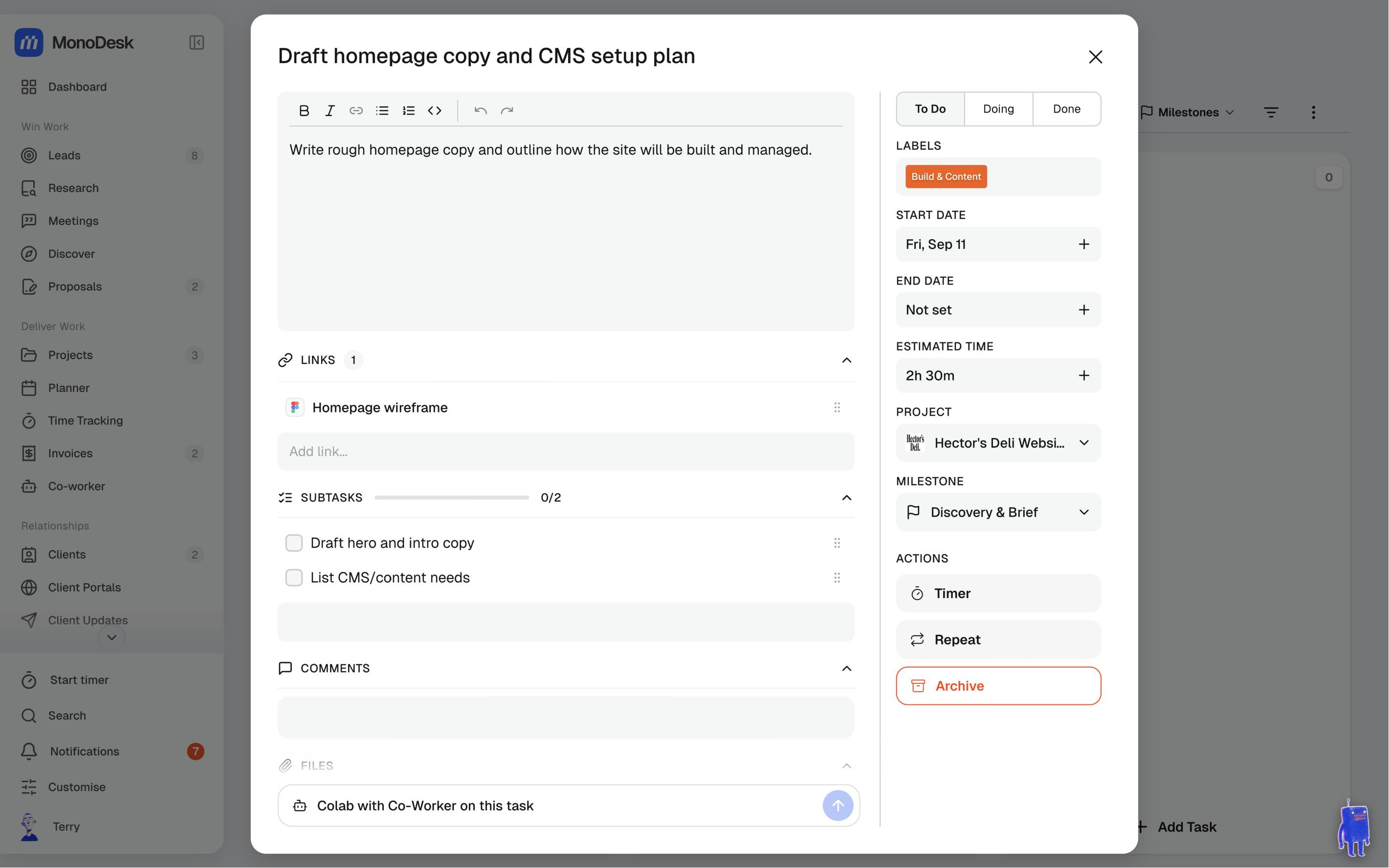
- Paste a URL into Add link…, add a title if you like, and click Add. Paste several lines at once to add one link per line
- Each link shows its site’s icon and a readable title: your title, or the page’s own title, or the web address. Figma links show the Figma icon and the file name; GitHub links start with the PR or issue number
- Click a link to open it in a new tab. Hover a row to Copy link or Edit link (where you’ll also find Remove), and drag the grip to reorder.
- If the description has links that aren’t in the list yet, a button like Add 2 links from description pulls them in with one click
Your Co-worker can save links too: “save this Figma link on the homepage task”.
Three actions worth remembering
Timer starts tracking time against the task on the spot. Repeat turns it into a recurring task. Archive clears it off the board without deleting its history. A message then shows Undo for ten seconds, plus a link to Archived tasks.
Hand it to your Co-worker
The box at the bottom sends the task, context and all, to your Co-worker: draft the copy, break it into subtasks, or pull together what you need to start.
For what this looks like across MonoDesk, see Projects.
Last updated October 23, 2026
