


How MonoDesk's AI Agent actually works (and what it doesn't do)
The Agent handles admin so you can stay in creative flow. It's not a chatbot, it's the organised friend who quietly sorts things out while you're working.

This post describes the Agent as it worked in March 2026. It has since been renamed Co-Worker and grown considerably: a dedicated Co-Worker mode, one-click shortcuts, and guided intake for invoices, proposals and discoveries. For what it does today, read Meet your Co-Worker or see the Co-Worker page.
TL;DR: The Agent handles admin so you can stay in creative flow. It’s not a chatbot. It’s the organised friend who quietly sorts things out while you’re working.
Let’s start with what the Agent is not.
It’s not a “chat with AI” feature bolted onto a project tool to hit a trend. It doesn’t write your copy, generate your designs, or produce your video edits. That’s your job, and you’re good at it. If you want a tool that replaces your creative output, this isn’t it.
What the Agent actually does is handle the boring stuff. The stuff that isn’t your job but somehow takes up a quarter of your day.
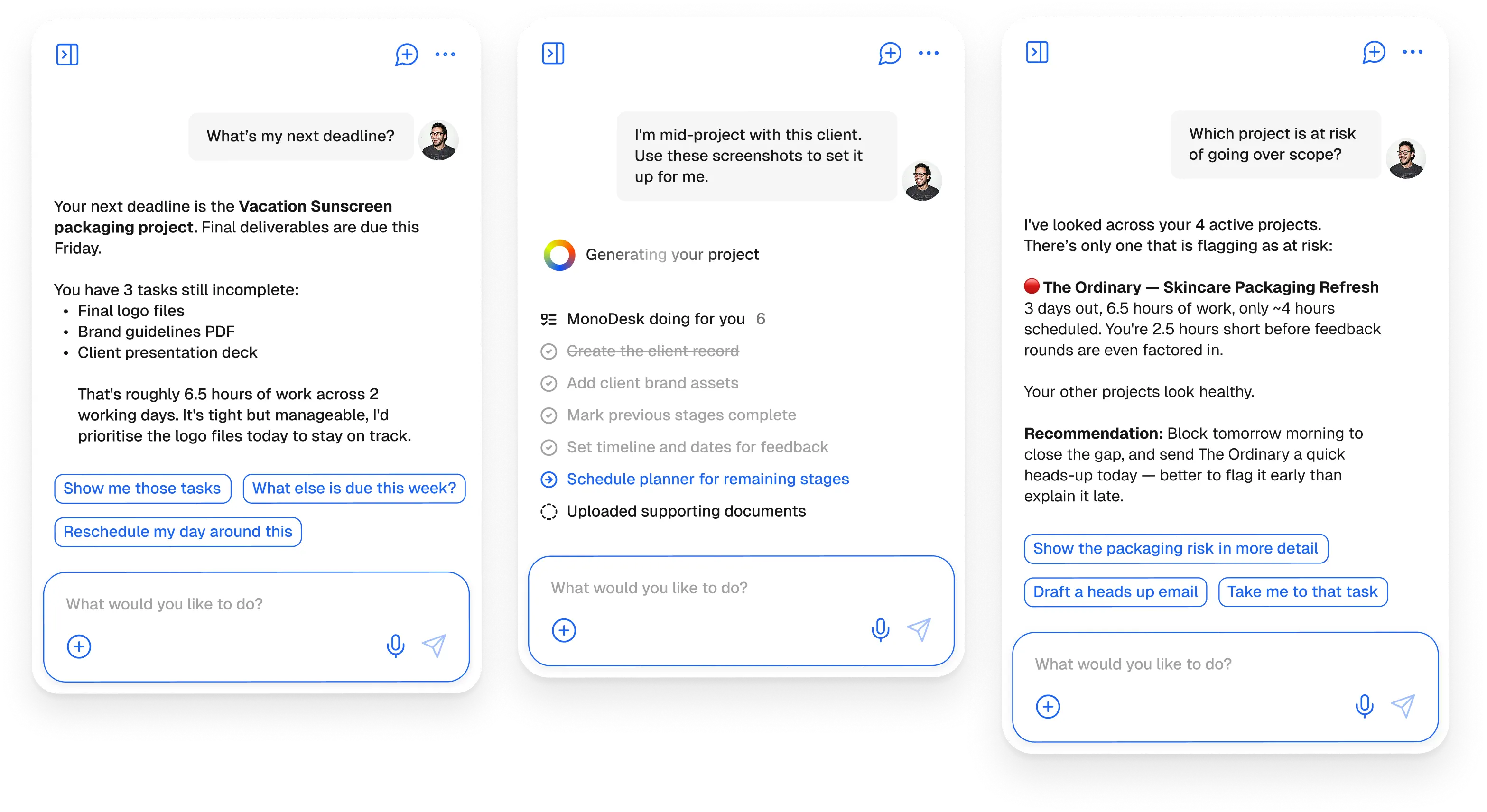
Here’s what that looks like in practice:
Task breakdowns from briefs. You paste a client brief into a project. The Agent reads it and breaks it into tasks with rough effort estimates. You review, adjust anything that needs adjusting, and you’re working in two minutes instead of twenty. No more staring at a blank task list wondering where to start.
Project status summaries. You ask the Agent where a project stands. It reads the tasks, checks what’s done and what’s overdue, and writes a summary you can actually send to a client. You edit the tone, hit send. Done.
Client update drafts. Same idea. You’re three weeks into a project and you owe the client a check-in. The Agent drafts it. You make it sound like you. You send it. The client thinks you’re incredibly organised.
File organisation suggestions. When your project folder starts getting chaotic, the Agent can suggest a structure based on what you’ve uploaded and how similar projects are typically organised.
Why this matters specifically for creative work. Creative work requires flow. The kind of focused, uninterrupted concentration where you’re actually doing your best work. Admin interrupts flow. Every time you stop designing to write a status update, every time you break from editing to reorganise your files, you lose momentum. Getting back into the zone can take 20 minutes or more.
The Agent doesn’t make you a better designer or a faster developer. It just means you spend less time not doing those things.
The honest part. The Agent is good at breaking down structured tasks from clear briefs. It’s good at summarising project status when your tasks are kept reasonably up to date. It’s still rough at understanding context across multiple projects simultaneously, and it occasionally over-engineers a task breakdown for simple jobs. We’re working on both.
We’re not going to tell you it’s magic. It’s a very useful tool that handles the predictable, repeatable parts of your admin layer. The creative judgment stays with you.
Try the Agent in the free beta.